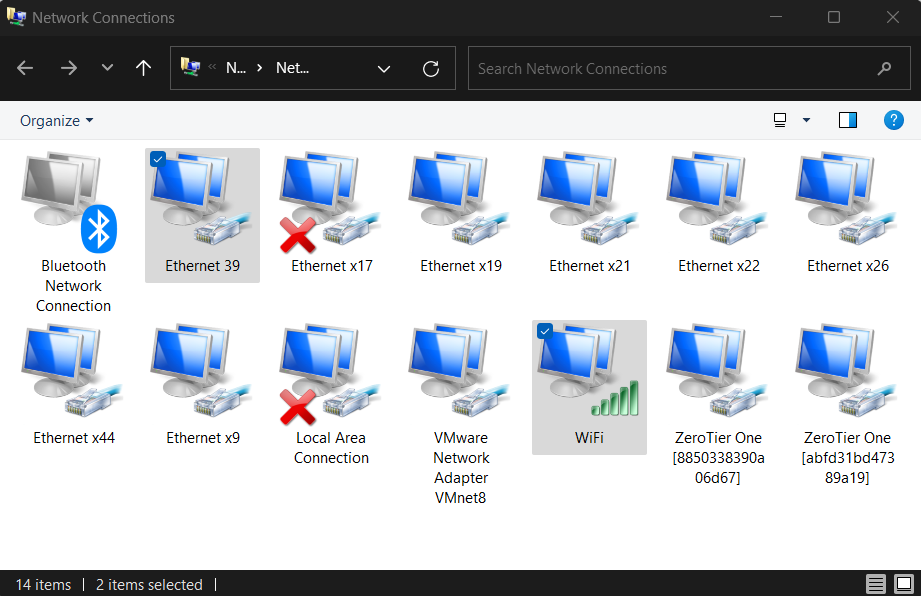
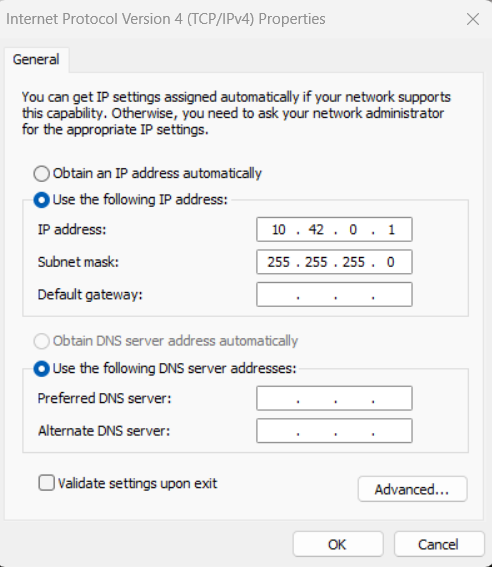
First, open the Network Manager and identify your Olive network interface (in this case, “network 39”). Also, identify the interface through which you wish to share the internet (in this context, the WiFi).
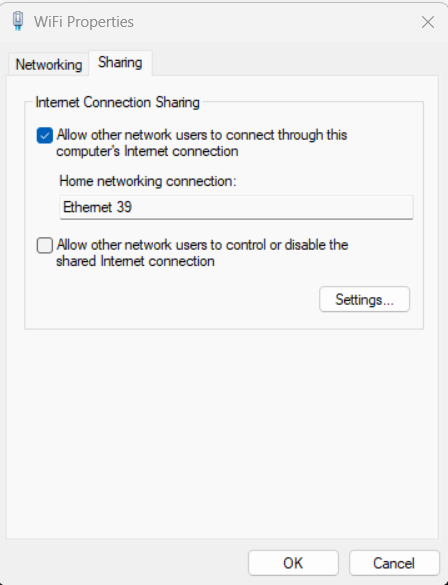
Next, access the settings of the WiFi network. Navigate to the appropriate tab and select the “Internet Sharing” feature. From the dropdown list, choose the Olive interface (in this instance, “network 39”).
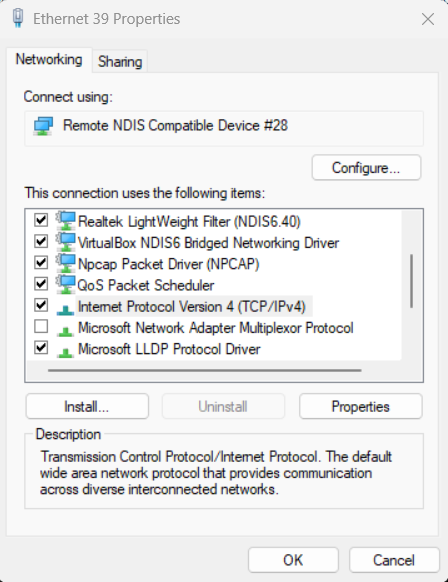
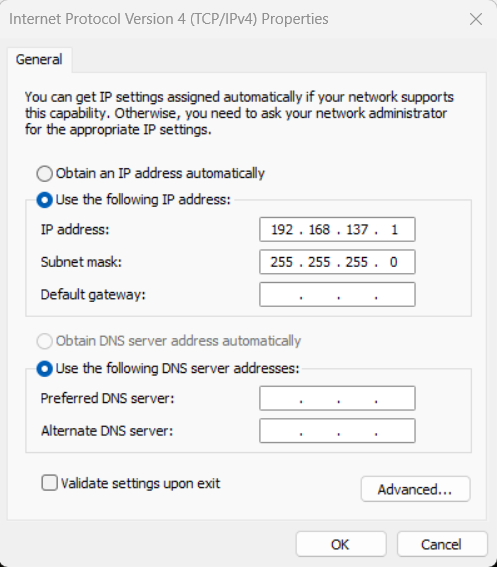
Once again, open the network settings for the Olive interface. Proceed to the IPv4 configuration and modify the predefined IP to match the default gateway IP of the Olive interface. By default, the gateway value is set to 10.42.0.1.
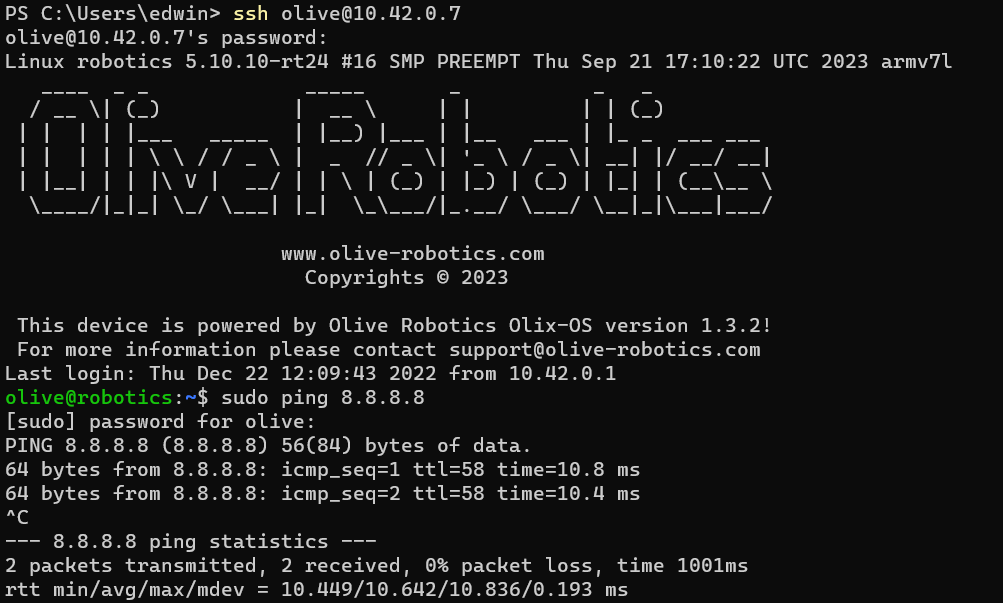
Now, SSH into the Olive component and attempt to ping 8.8.8.8 to verify your internet connection. If successful, you should observe a successful ping response as shown below:
If you wish to change the default gateway on the device, follow these commands on the Olive component:
sudo ip route del default #delete the default route
sudo ip route add default via 10.42.0.1 #add the default route
Install Necessary Packages: Before you begin, ensure you have the net-tools and dnsmasq packages installed. These tools will help manage and share the network.
Use the following command to list your network interfaces:
ifconfig
Use the commands bellow to share your wifi internet (here wlp3s0) with you olive interface (here enxa80000000001). Replace this two interface names according to your wifi and olive interface name.
sudo sysctl -w net.ipv4.ip_forward=1
sudo iptables -t nat -A POSTROUTING -o wlp3s0 -j MASQUERADE
sudo iptables -A FORWARD -i enxa80000000001 -o wlp3s0 -j ACCEPT
sudo iptables -A FORWARD -i wlp3s0 -o enxa80000000001 -m state --state RELATED,ESTABLISHED -j ACCEPT

sudo apt-get install iptables-persistent
sudo sh -c "iptables-save > /etc/iptables/rules.v4"
Verify Internet Sharing: SSH into the Olive component and try pinging an external server to check if the internet connection is shared:
Install Necessary Packages: Before you begin, ensure you have the net-tools and dnsmasq packages installed. These tools will help manage and share the network.